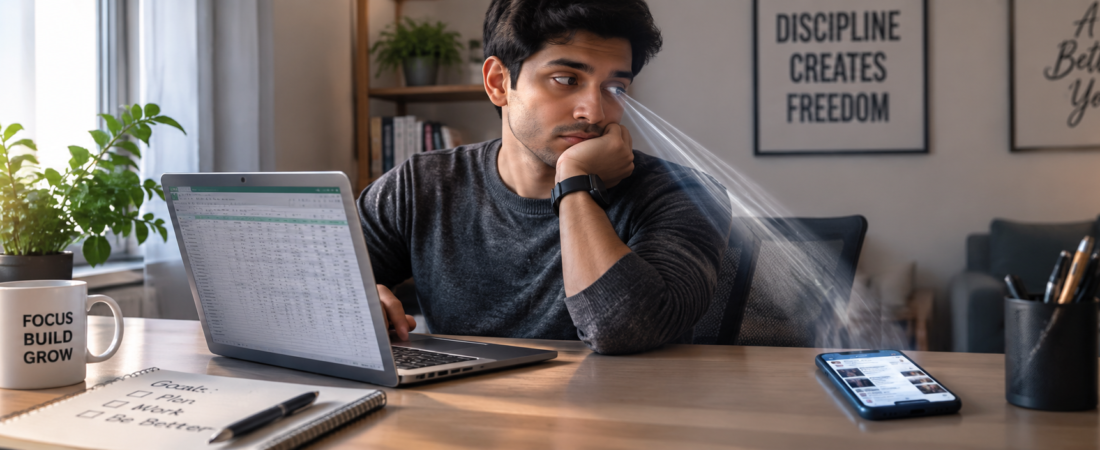
Yes — social media really does hurt productivity, but probably not for the reason you think. It’s not just the minutes you lose scrolling. It’s the mental “reset tax” your brain pays every time you switch from deep work to a feed and back again, which research suggests can take over 20 minutes to recover from [Study on time to regain focus after digital interruption]. That tax adds up fast, even if your actual scroll sessions feel short.
If you’ve ever told yourself “just a two-minute check” and looked up 25 minutes later, you already know this isn’t really about willpower. It’s about how your brain handles interruption. Let’s get into what’s actually happening, what the data says, and what to do about it that doesn’t involve deleting every app off your phone.
Key Takeaways
- Social media hurts productivity mainly through attention residue — the mental fog left behind after you switch tasks, not just the time spent scrolling.
- Even short checks (under 2 minutes) can cost you 15-20+ minutes of refocusing time, depending on the task [Research on attention residue and task-switching cost].
- Notifications alone — even ones you don’t open — measurably reduce performance on focus-heavy tasks [Study on notification-related attentional cost without app engagement].
- App blockers help, but they work best paired with a plan for why you’re reaching for your phone in the first place.
- You don’t need to quit social media. You need to control when and how you access it during work hours.
How Does Social Media Affect Productivity?
Social media affects productivity in three main ways: it fragments your attention through frequent task-switching, it triggers dopamine-driven checking habits that pull you out of deep focus states, and it contributes to mental fatigue that builds across the workday. None of these require you to spend hours scrolling — even brief, frequent checks add up.
Here’s the part most articles skip: your brain doesn’t actually “multitask.” When you flip from a spreadsheet to Instagram and back, you’re not doing two things at once — you’re rapidly switching between them, and each switch has a cost. Researchers call this attention residue: part of your mental focus stays stuck on the previous task even after you’ve moved on [Foundational research on attention residue and task switching].
So when you check Slack, then Twitter, then back to your report, a sliver of your brain is still thinking about the tweet you just read. Multiply that by 40-60 checks a day (which is roughly average for smartphone users, and you get a workday that feels busy but somehow unproductive.
I’ll push back on one common piece of advice here: “just turn off notifications and you’ll be fine.” That helps, but it’s incomplete. Plenty of people I’ve talked to in remote roles turn off every notification and still pick up their phone every 10 minutes out of habit. The notification isn’t always the trigger — boredom, stress, or an awkward task is. Fixing the phone without addressing the trigger just moves the problem.
Why Is Social Media So Distracting at Work?
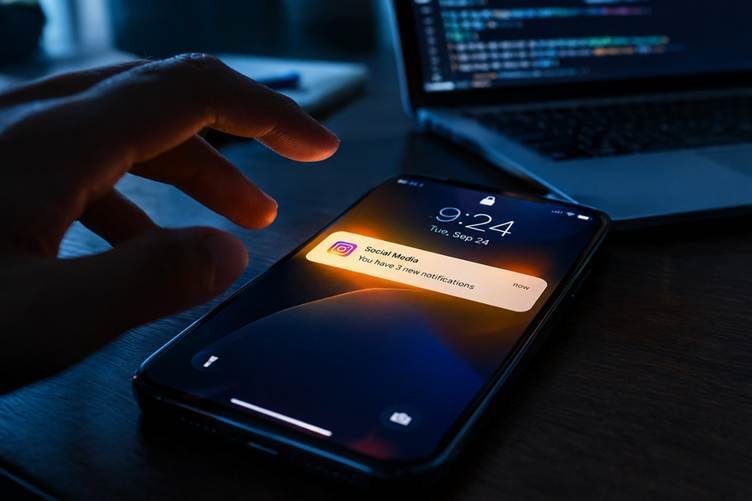
Social media is engineered to be distracting. Features like infinite scroll, variable reward notifications, and algorithmically curated feeds are specifically designed to keep you engaged longer than you intend. This isn’t a personal failing — it’s a design problem.
A few specific reasons it hits so hard during work hours:
- Variable rewards. You don’t know if the next scroll will show something boring or something genuinely interesting. That unpredictability is what keeps slot machines — and feeds — addictive.
- Low friction. Opening an app takes one tap. Starting a hard task (writing that report, debugging that code) takes activation energy. Your brain will always take the easier path when it’s tired.
- Social validation loops. Likes, comments, and shares tap into a basic human need for connection and approval, which is a much stronger pull than “finish this task by 3pm.”
- Boredom avoidance. Deep work is sometimes boring, even when it’s meaningful. Social media offers instant novelty. When a task gets hard or dull, your thumb finds the app before your brain even registers the decision.
If you work from home, there’s an extra layer: no coworker is glancing over to see what’s on your screen. The social accountability that (whether you like it or not) keeps office workers somewhat in check just isn’t there.
Social Media and Mental Fatigue at Work
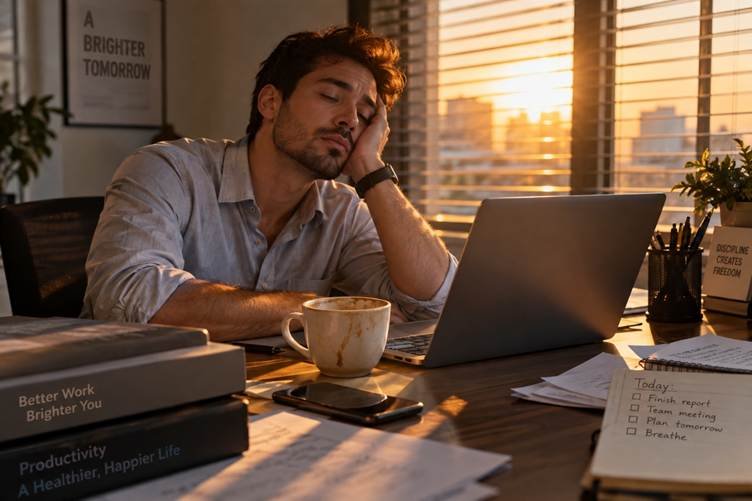
Beyond lost time, there’s a fatigue cost that’s harder to see but arguably more damaging. Constant switching between social media and work tasks draws on the same limited pool of mental energy used for decision-making and self-control, sometimes called decision fatigue. By 3pm, you’ve made hundreds of tiny “should I check it” decisions, and you have less mental fuel left for the actual hard thinking your job requires.
This is why a workday full of social media breaks can leave you feeling wiped out even if you technically “worked” eight hours. You weren’t lazy. You were cognitively leaking energy in small amounts all day long.
There’s also a mood component worth naming honestly: passive scrolling (looking at other people’s posts without interacting) is linked to lower mood afterward for a lot of people, more so than active use like messaging friends directly [Study comparing passive vs. active social media use and mood outcomes]. A dip in mood mid-afternoon doesn’t exactly set you up for your best work.
None of this means social media is inherently bad for your mental health. Used intentionally, it can genuinely help you unwind or stay connected with people you care about. The problem is when and how much, not the platforms themselves.
Does It Matter Which Platform You Use?
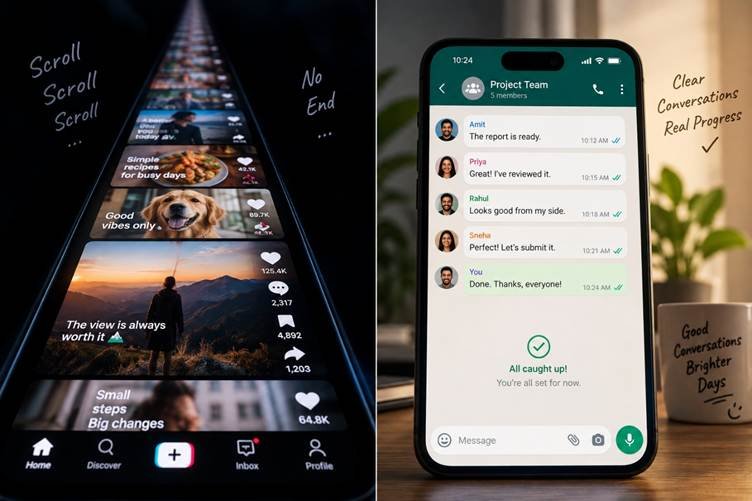
Somewhat, yes. Platforms built around infinite, algorithmically-ranked video content (think short-form video feeds) tend to produce longer, less intentional sessions than platforms with a clearer endpoint, like checking a group chat. If you’re trying to protect your focus, the platform with the “for you” algorithm and no natural stopping point is usually the one to restrict first — not necessarily all of them equally.
Think about the last time you opened a short-form video app “for a second.” There’s no visible end to that feed. Compare that to checking a group chat, where you can see you’ve read everything and there’s a natural stopping point. That design difference is a big reason why some apps eat 45 minutes and others eat five.
This is worth sitting with if you’ve been treating “social media” as one single category to fight against. It’s not. A quick scroll through a friend’s photos before a meeting is a very different animal than an hour lost to an algorithmic video feed with no bottom. If you only have the energy to restrict one thing, restrict the bottomless one first.
How Much Social Media Use During Work Hours Is “Too Much”?
There’s no single number that applies to everyone — your job, your role, and how your brain handles interruption all matter. But a few rough benchmarks can help you gauge where you land:
- Occasional, scheduled checks (2-3 times a day, a few minutes each): generally low-impact, especially if timed around natural breaks rather than mid-task.
- Frequent, reactive checks (every notification, every idle moment): this is where the attention residue and fatigue costs start stacking up, even if total time looks modest on a screen-time report.
- Extended sessions (15+ minutes, several times a day): usually a sign the app is being used to avoid something — a hard task, a boring one, or an uncomfortable feeling — rather than genuinely enjoyed.
If your screen-time report says an hour a day but it’s broken into 30 separate two-minute checks, that’s arguably worse for your focus than a single 20-minute break at lunch. Frequency of switching matters more than raw minutes.
One honest note: feeling guilty about phone-checking doesn’t actually fix the habit, and it can make things worse by adding shame into the mix, which tends to fuel more avoidance, not less. The goal here isn’t perfection. It’s noticing the pattern and building a couple of structural changes that make the good choice the easy one.
Best Apps to Block Social Media While Working
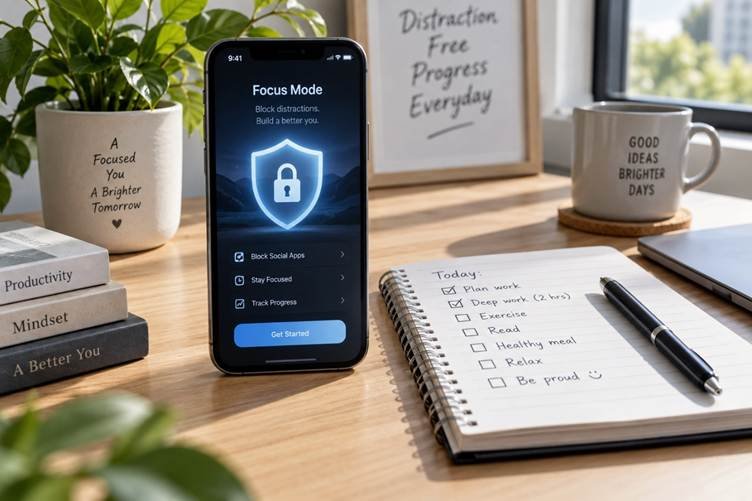
If willpower alone isn’t cutting it — and for most people, it isn’t — a blocker can remove the decision entirely. Here’s how to think about picking one, plus a few well-known options worth researching for your specific setup:
- Freeform blockers (Cold Turkey, Freedom). These let you block specific sites or apps across your whole device, sometimes even preventing you from disabling the block mid-session. Good if you know you’ll try to cheat.
- Scheduled blockers (Opal, One Sec). These work on a timer or add a short “pause” before opening an app, giving your brain a beat to reconsider. Good for people who check habitually rather than compulsively.
- Focus-mode built into your phone (iOS Focus, Android Digital Wellbeing). Free, built-in, decent for basic blocking, but easier to override in a moment of weakness since it’s just a settings toggle.
- Browser extensions (StayFocusd, LeechBlock). Useful if your distraction problem is mostly desktop-based — like tab-switching to Twitter during a Zoom call.
A blocker won’t fix the underlying habit by itself. Think of it as a guardrail, not a solution. The actual fix is building a work rhythm where checking social media has a designated time, instead of being available at every idle second.
How to Actually Reduce Social Media’s Impact on Your Work
You don’t need a total digital detox to get your focus back. Here’s a more realistic approach:
- Batch your checks. Pick 2-3 set times a day (say, mid-morning, after lunch, end of day) instead of checking whenever you feel the urge. This cuts down on task-switching without cutting off access entirely.
- Use a “landing pad” habit. Before opening a work-heavy task, put your phone in another room or a drawer — not just face-down on the desk. Visibility alone increases the temptation to check, even with notifications off [Research on phone visibility and reduced cognitive capacity].
- Protect your first 60-90 minutes. Your willpower is usually highest earlier in the day. Save your hardest task for that window, before your phone habits and decision fatigue kick in.
- Name the trigger. Next time you reach for your phone mid-task, pause and ask what you were actually feeling — bored, stuck, anxious about an email? Social media is often a symptom, not the root cause.
- Try a “two-minute rule” for hard starts. If a task feels too big to start (which is often when phone-reaching spikes), commit to just two minutes of it. Momentum usually carries you further than you expect.
If you’re someone who leans on social media specifically to cope with work stress or anxiety, it’s worth looking at that pattern honestly — a productivity hack won’t fix an underlying stress problem, and if it’s affecting your day-to-day functioning, it’s worth talking to a doctor or therapist rather than just installing another app.
[Internally link to: Digital Wellness Tools / best focus apps roundup]
[Suggested external links: a .gov or .edu source on attention/task-switching research; a major health organization resource on digital wellbeing or screen time and mental health]
FAQ
Does social media really hurt productivity, or is it overstated?
It’s not overstated. The main cost isn’t the minutes spent scrolling — it’s the attention residue and mental fatigue from constant task-switching, which research shows can meaningfully reduce focus and output on demanding tasks [Research summarizing productivity impact of social media use in work settings].
How much time does the average person lose to social media at work?
Estimates vary by study and by job type, but self-reported use during work hours commonly ranges from 30 minutes to over an hour per day, not counting the extra refocus time after each check [Survey data on self-reported social media use during work hours].
Can I use social media at work without hurting my productivity?
Yes, if you batch it into set times rather than checking reactively throughout the day. Scheduled, intentional use has a much smaller focus cost than habitual, unplanned checking.
Are app blockers actually effective?
They help, especially for habitual (rather than emotionally-driven) checking. But they work best combined with addressing why you’re reaching for your phone in the first place — boredom, stress, or task avoidance.
Is it social media itself or notifications that cause the biggest problem?
Both matter, but notifications may have an outsized effect — some research suggests the mere awareness of an unread notification can reduce focus, even if you never open the app [Study on notification awareness and cognitive performance].